Body Temperature Fever Tracker
Prometheus Interactive LLCMedical
3.895.00 Reviews
- Version
- 3.0.0
- Installs
- 1.00M
- Age Rating
- Everyone
Screenshots
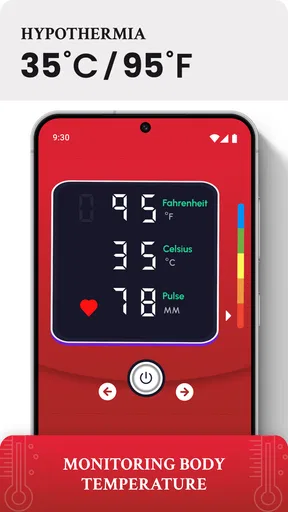
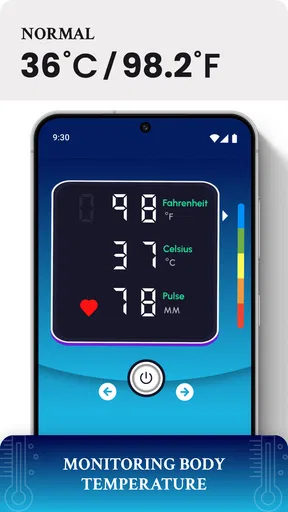
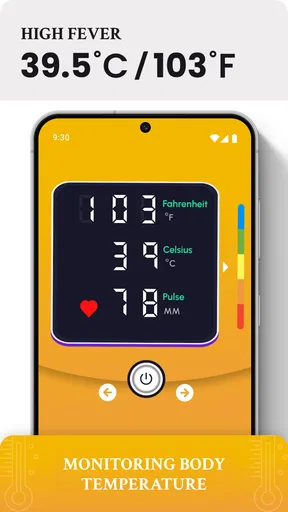
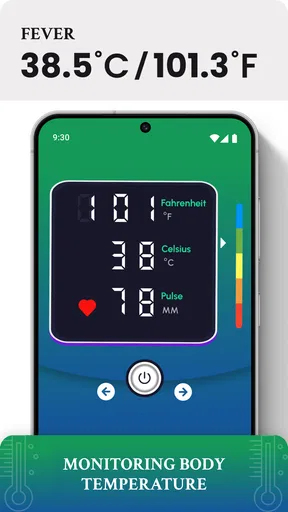
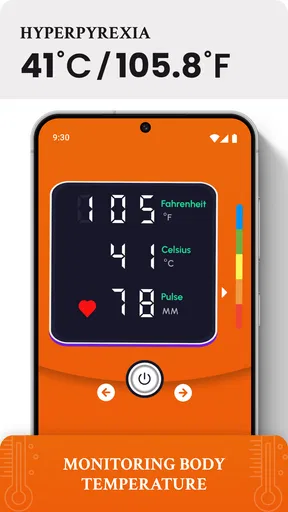
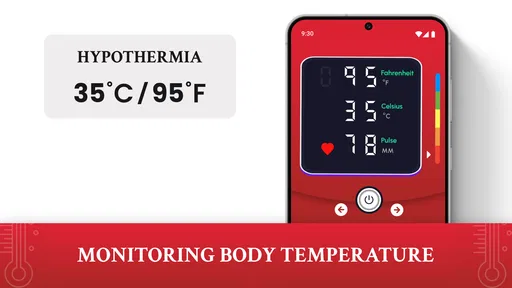
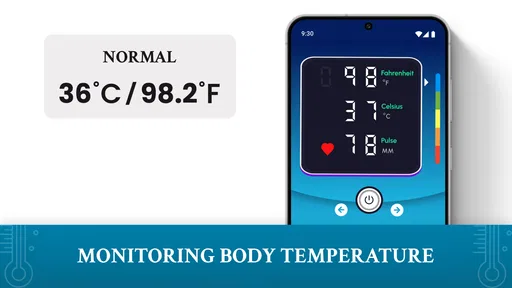
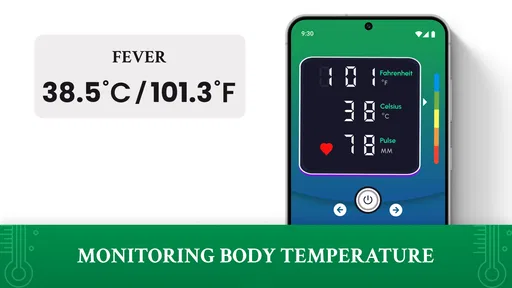
Our Review of Body Temperature Fever Tracker
 Analysis by Appyee
Ever wondered whether your phone can help you keep a useful record of body temperature readings? I see Body Temperature Fever Tracker as a simple place to organize that information, rather than a replacement for a thermometer or medical advice. Its focus is narrow, which can be helpful when all you need is a record you can check later. The key is to enter readings consistently and treat the history as supporting context, not a diagnosis.
Reading the interface and finding your way around
The app is a medical tracking tool from Prometheus Interactive LLC. Its purpose is easy to understand: record temperature readings and review them over time. When someone feels unwell, that straightforward focus matters. I would rather have a small number of relevant steps than navigate a broad wellness dashboard while trying to remember when a reading was taken.
The app is free to download, with in-app purchases ranging from $0.99 to $99.99 per item. It has an average rating of 3.7 from around 3,400 ratings, and more than a million installs. Those figures suggest it has reached a sizable audience, though they cannot tell you whether its workflow suits your household. The current version is 3.0.0, and it is rated for everyone.
For readability, the practical test is whether you can enter a reading and find it again without guesswork. A temperature log is most useful when the date and time stay attached to each entry, because a number without context can be misleading later. I recommend checking the saved record after your first entry, while you have time to correct a typo or learn where the history appears.
Motor and sensory considerations
A manual entry can be more accessible than a workflow that depends on a particular thermometer connection, especially when the device is not nearby or another person is helping. On the other hand, typing while tired, shivering, or holding a thermometer can be awkward. I’d take the reading first, set the thermometer down, then enter the number deliberately rather than trying to do both at once.
If reminders are useful, they can reduce the need to remember a schedule during a stressful day. But a notification is only helpful if it is noticeable and arrives at a sensible moment. I would not rely on the app alone to alert me to a serious change; anyone who has trouble seeing or hearing phone notifications should use a reminder method they already know they can perceive.
Using the tracker in everyday situations
Imagine a child wakes up warm before school, and you take a reading before deciding what to do next. Recording the number with its time gives you something more reliable than a half-remembered figure when you speak with a caregiver or clinician later. If symptoms change, adding a brief note beside the reading can preserve useful context without turning the log into a diary.
This kind of record is also handy when several readings are taken across a day. Rather than relying on memory, you can compare entries and describe the sequence more clearly. A graph can make the overall direction easier to scan, while the individual readings remain important: a visual trend should not replace checking the actual numbers or considering how the person feels.
For shared caregiving, decide in advance who will enter readings and how you will distinguish one person’s record from another. A quick check of the selected profile before saving is a worthwhile habit. It is a small step, but it can prevent a child’s measurement being mixed up with a sibling’s when everyone is sick and routines are rushed.
Where it fits alongside other options
Compared with writing readings on paper, a phone-based log can be easier to search and review, particularly when dates and notes matter. Paper, however, does not require a charged phone or navigating a screen, and it may be simpler for someone who prefers handwriting. A basic notes app is another alternative, but it takes more discipline to keep entries in a consistent format and make a trend easy to review.
The app’s listing describes Bluetooth thermometer connectivity, which may appeal if you already use a compatible digital thermometer. I would treat that as a convenience rather than a requirement: manual logging is the more flexible choice when you are unsure about compatibility or simply want to start recording. Before depending on a connection, try it with your thermometer when there is no urgent need to take a reading.
A dedicated thermometer remains essential for measuring temperature; a tracker organizes the results rather than sensing them itself. And no log, whether digital or handwritten, can determine the cause of a fever. If you need symptom assessment or guidance about when to seek care, contact a healthcare professional instead of relying on a chart.
Privacy, cost, and practical limits
Health information can be personal, so I would look at the app’s privacy controls before entering details about a child or another person. The published app description says it offers a passcode or biometric protection. That can help protect access on the device, but it is not a reason to share a phone casually or leave it unlocked around other people.
The free starting point makes it possible to see whether the tracking approach works for you before spending anything. Since in-app purchases are available, check what an optional purchase offers and whether you need it before confirming payment. If your only goal is occasional temperature notes, a paper log or your phone’s existing notes tool may be enough; paying for extras would make little sense unless they solve a specific problem for you.
One limitation of any tracker is that its usefulness depends on the quality of the entries. A skipped reading, an incorrect time, or a number saved under the wrong profile can make the history less dependable. I’d keep a simple routine: measure with the thermometer, record the result promptly, add only relevant context, and review the saved entry before moving on.
Getting Started with Body Temperature Fever Tracker
So, you download the app, and what’s next? Setting it up is a breeze. You don't need to be a tech wizard to figure it out. Once you open the app, you’re greeted with a simple, easy-to-navigate interface. It’s like the app is saying, "Hey, let's make this easy for you!"
The first thing you’ll want to do is create a profile. Just pop in some basic details about yourself, like your age and gender. This helps the app personalize the experience for you. After that, you’re ready to start tracking!
Tracking Your Temperature
Now, this is the fun part. You can log your temperature manually or connect a digital thermometer via Bluetooth. I mean, how cool is that? If you’re the type who loves gadgets, you’ll enjoy the seamless connectivity. Just measure your temperature, and the app does the rest.
Each entry is recorded with the time and date, so you can see patterns over time. This is super handy if you're trying to figure out if that pesky fever is part of a bigger issue. The graph feature is especially useful here, providing a visual representation of your temperature trends. It’s like having a mini health report right at your fingertips.
Features That Make Life Easier
One of the standout features of the Body Temperature Fever Tracker is the reminder system. You can set reminders to check your temperature at regular intervals. This is especially great if you're the forgetful type (like me). You’ll get a gentle nudge when it’s time to take another reading.
Another neat feature is the ability to add notes to each temperature reading. So, if you notice other symptoms like headaches or chills, you can jot them down. This makes it easier to communicate with your healthcare provider if you need to.
Privacy and Security
Now, I know some of you might be concerned about privacy. Rest assured, the app takes your data seriously. All your information is stored securely, and you can even set up a passcode or use biometrics for an extra layer of protection. It’s nice to know that your health data isn’t just floating around out there.
Who Is This App For?
Honestly, Body Temperature Fever Tracker is perfect for anyone who wants to keep an eye on their health, but it's especially useful for parents, caregivers, and anyone with chronic health conditions. Having a centralized place to track temperatures can make life so much easier, especially during flu season or if you have kids who are prone to getting sick.
Parents can track their children’s temperatures separately, which is a lifesaver when multiple little ones are under the weather. No more guessing games or trying to remember if you took Johnny’s temperature or Sally’s!
Final Thoughts
In a world where our phones can do just about anything, it’s nice to see apps focused on improving our health. Body Temperature Fever Tracker is a solid choice for anyone looking to keep tabs on their temperature without a fuss. It's user-friendly, loaded with helpful features, and prioritizes your privacy. If you’re on the fence, I’d say give it a try. It might just become your go-to health companion!
Verdict
Strengths of Body Temperature Fever Tracker
- Easy to navigate interface.
- Accurate temperature logging.
- Customizable reminders for checks.
- Supports multiple user profiles.
- Data export to CSV format.
Limitations of Body Temperature Fever Tracker
- Limited integrations with other apps.
- No real-time syncing across devices.
- Ads in free version can be intrusive.
- No support for wearable devices.
- Limited health insights provided.
Other Releases by Prometheus Interactive LLC
View All
Sound Booster・Increase Volume
Music & Audio4.8

Screen Recorder: Facecam Audio
Video Players & Editors4.4

GPS Navigation: Live Earth Map
Travel & Local4.0

Logo Maker : Graphic Designer
Business4.6
Similar Picks in This Category
View All
WebMD: Symptom Checker
WebMD, LLC4.1

Microphone Amplifier
DOSA Apps4.2

Anatomy Learning - 3D Anatomy
3D Medical OU4.5

Period Tracker and Calendar
SimpleInnovation4.9

GoodRx: Prescription Coupons
GoodRx4.8

CVS Health
CVS Pharmacy4.5
Frequently Asked Questions
How accurate is the Body Temperature Fever Tracker app?
The Body Temperature Fever Tracker app provides estimates based on data you input, such as symptoms and previous readings. While it's useful for tracking trends, it should not replace professional medical advice or devices. For precise temperature readings, always use a certified thermometer.
Can the app diagnose medical conditions?
No, the app cannot diagnose any medical conditions. It is designed to help you log and monitor your body temperature over time. If you suspect a fever or any health issue, consult a healthcare professional for an accurate diagnosis and treatment plan.
Is the Body Temperature Fever Tracker app free to use?
The app is generally free with basic features available to all users. However, it may offer in-app purchases or a premium version that provides additional features, such as detailed analytics, ad-free experience, and personalized health tips. Check the app store for specific pricing details.
How does the app handle my personal data?
The app prioritizes user privacy and typically follows strict data protection regulations. It collects information necessary for tracking health metrics and may require user consent. Always review the app’s privacy policy to understand what data is collected, how it’s used, and who it’s shared with.
What devices are compatible with the Body Temperature Fever Tracker app?
The app is compatible with most Android and iOS devices. Ensure your device runs on the required operating system version specified in the app store description. For optimal performance, keep your device updated and check for any app updates regularly.
